PDF addicts will love this online tool. Convert any webpage, text, report or image in PDF format on the fly. No installation, no registration, no charges and a very easy interface to work with.
PdfonFly is a pdf conversion service that allows you to convert web pages, reports and images to adobe pdf files. Enter valid urls of your html, asp, php, .Net, cgi, jsp pages and jpg / jpeg, gif, png files for conversion to pdf files.

Convert URL to PDF – Just enter the URL of a webpage and click on ‘Convert to PDF’ button. It has also settings options like – ‘Search cached PDFs for faster response’ and ‘Create fresh PDF,takes more time’. You will get a link to view resultant PDF file, right click and select ‘save target as’ to save resultant PDF file on your computer.
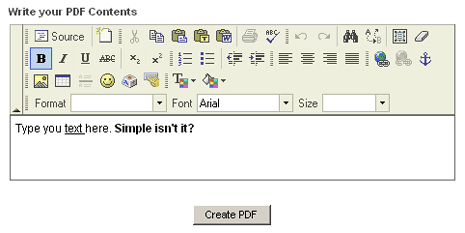
Convert Text to PDF – You get WYSIWYG Editor (What you see is what you get). Enter any text in the online editor. You can format the text in terms of color, spacing, positioning. After writing the text click on ‘Create PDF’ button and you will link to view or save resultant PDF file.
PDFonFly: Click here to convert URL or Text in PDF Format
Some more PDF tools: Edit PDF Files online, convert PDF into Word Document Files. Also check out the procedure to search only PDF Files using Google Search.
