Popular blogs and websites churn out lot of content on daily basis. All the published content may not appeal to every users, for example: large blogs like Mashable, Gizmodo publish stories on various topics, gadgets, electronics. Subscribing to RSS feed of such blog can clog your feed reader with lot of unread content. Also you will be wasting lot of time on going through content that does not interest you. One easy way to overcome this is by filtering RSS feed content. You can setup filter keywords and view only stories related to those keywords by creating filtered version of original RSS Feed of the website. Following are few services for generating filtered version of RSS feed of your favorite blog or website.
Online tools to Filter RSS feed content by Keywords
1. Feed Rinse – As the name suggests it can filter any feed according to your requirements. For example, if you only want to read about ‘gadgets’ – simply enter the filter keyword ‘gadgets’ to the RSS feed and its done. Whole process involves simple routine starting with: iport of feeds (enter the url for your feeds) or import of OPML file or use bookmark-let to import feed details.
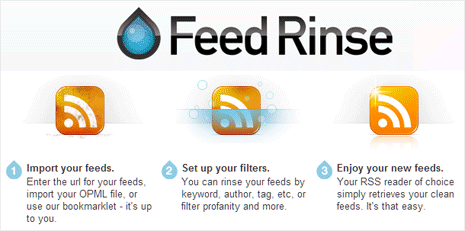
Then you can proceed with setting up of filters by specific keyword, author, tag, etc, or filter profanity and more. Once final filtered RSS feed is generated, you can use it any way like reading in online or offline RSS feed reader program. Feed Rinse is like a spam filter for your RSS subscriptions. Only read stuff you want to read, no crap included.
2. Feed Sifter – It is a simple online tool for quick filters on any RSS Feed. You can provide one or multiple keywords for feed filter settings that should be applied to final filtered feed.
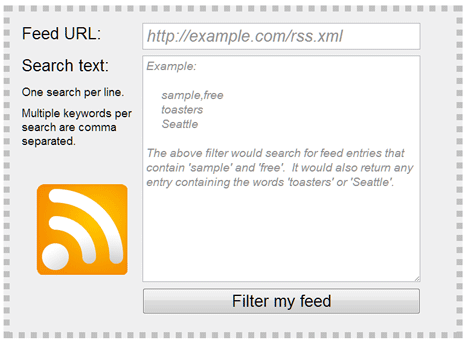
To get started, enter the feed URL of website or source that interests you. Then enter keywords for filter indicators. Final feed will only contain articles or posts related to specified filter keywords.
3. Filter My RSS – This online tool provide couple of more options to generate filtered RSS feed. Once you enter specific RSS feed URL, type keywords that you want to include or exclude from the final RSS Feed.
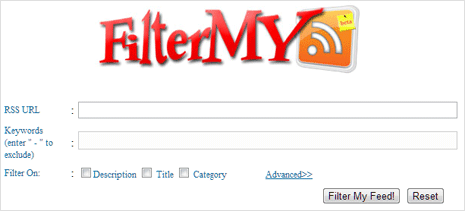
There are options to enable filter options on: description, title, category of the feed content. Few advanced options provide more ways to control on how you can filter specified RSS feed contents.
