New experimental features keep coming on Gmail, latest include ability to add location to your Gmail signature. So next time you receive an email, question like “Where are you from?” can be easily answered by looking at location in signature of the received email. This is an optional feature and location information is only added if this feature is turned ON.
HOW TO ENABLE & USE LOCATION FEATURE?
Login to your Gmail account and click on ‘Settings’ and then goto ‘Labs’ tab. Scroll down and look for ‘Location in signature’. Click enable next to it and then hit the save changes button at the bottom.
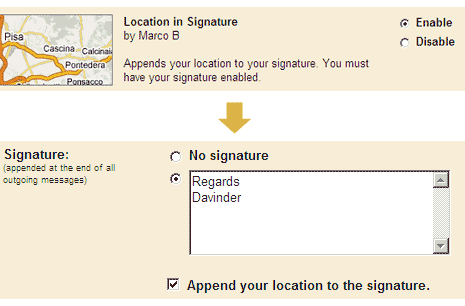
Now goto ‘General’ tab under settings, scroll down and look for Signature. Tick or check option ‘Append your location to signature’. From now on, all outgoing emails will have your location (like Chandigarh, India) – as determined by sender’s IP address – like it?
