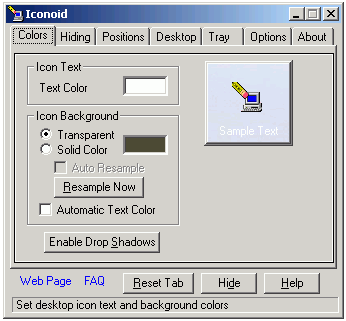
Iconoid is all in one utility to manage icons and its related aspects in few simple clicks. It allows you to save and restore icon position for every screen resolution. You can make background of all icons transparent or select any solid background color of your choice.
Related – Create, Extract & Edit icons with IcoFx – Freeware
It also allows you to select any font color for icon text. You can also hide all icons anytime with a click on button and minimize all windows on the fly. There are number of small yet useful features to manage icons on the desktop with all in one utility Iconoid [weblink]. It is all free and works fine on Windows 2000, XP, Vista and Windows 7.
