“File Naming” is a portable advanced file re-naming utility. It allows you to change and modify name of any file with different parameters. Being portable, it does not require install. Just download and double click to launch utility to use. To get started, click on “Add Files” button and select one or many files to be loaded in the utility.
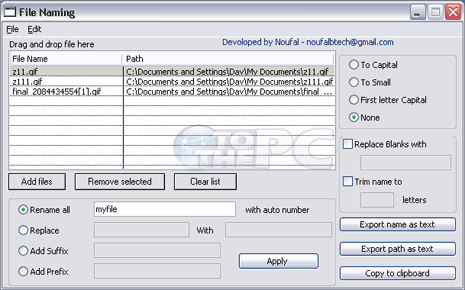
After selecting files that should be renamed, you can move to selection of rename formatting. Rename files with special word and auto-number, replace specific text, add sufix, add prefix. You can also convert file name to capital, small, first letter capital using options on the right. Chose options as per requirement and click Apply button for quick renaming of selected files. Download File Naming portable: its easy, quick and simple!
