While your computer is ON, there are number of processes and applications running the background. We have already seen free utility process explorer to view such processes. Here is another free utility Process Revealer, which besides active processes also show hidden processes.
Hidden processes are not shown in Window’s standard Taskmanager. Using this utility, you can easily view and kill any hidden process that could be acting malicious on the computer.
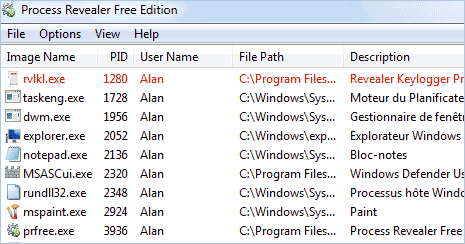
As seen in image above, hidden processes are highlighted and can be easily identified in the list of active process. Download Process Revealer to view processes that even Taskmanager doesn’t show and be safe!
