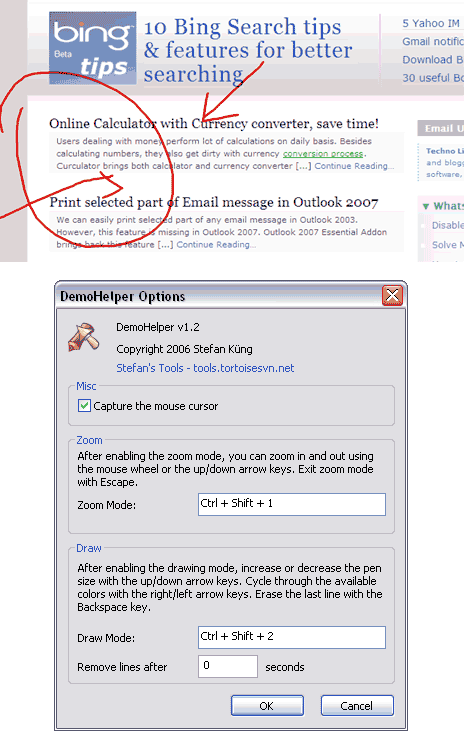
It is very important to highlight important aspects during a presentation or demonstration while using Windows powered computer. Zooming in on important areas and drawing arrows to capture audience attention can result in effective and quick communication. Demo helper is small utility that helps you to zoom and draw on any part of the screen.
Related – Scribble graffiti on any webapge with mouse
It does not require installation, just download and double click to start using it. It sits on the system tray and you can right click on the icon to start the draw or zoom on the screen. You can also go to options and configure shortcuts keys to start zoom and draw. By default you can use “Ctrl + Shift + 1” for zoom and “Ctrl + Shift + 2” for draw. Download Demo Helper info utility to catch audience attention the easy way with draw and zoom!
