Many of us are in habit of downloading lot of things at the same time. We can have a mp3 file and movie file downloading at the same time. Also, we are surfing favorite website or chatting with friends. Net surfing experience can get bit boring and slow due to large bandwidth taken by mp3 and movie downloads.
We can make this net suring experience pleasant and yet do all the same time using free application ‘NetBalancer’. It is an internet traffic control and monitoring tool designed for Windows XP/2003/Vista. Using this, you can set download/upload transfer rate priority for any application in use.
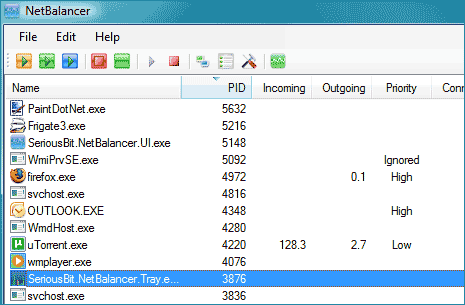
Applications with a higher network priority will gain more traffic bandwidth than those with a lower one. NetBalancer works with priorities, so applications with low priority won’t be limited if other high priority applications don’t use network. Download NetBalancer to manage bandwidth for multiple downloads along with pleasant browsing experience.
