Recycle Bin has always been part of the desktop. If you are too bored of it and want to perform some desktop cleaning – bump out the recycle bin to the system tray. Minibin is a small application that allows you to move and pin recycle bin to the system in few simple clicks.
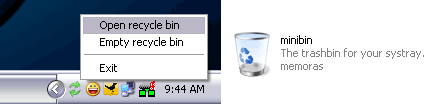
This application does not require install. Just download, unzip and double click recycle bin icon to get going. You can right click on minibin icon to open recycle bin or empty recycle bin – download MiniBin. After this you can hide all icons on the desktop in a single click. If you still like icons display on desktop, save the icon position and never miss favorite desktop icons layout.
